
The "film look" everyone chases is not one secret setting. It is a handful of consistent ingredients, and once you know what they are, it is easy to apply them to your iPhone photos.
What actually makes a photo look like film
Three things, mostly:
- Color character. Warm highlights, slightly muted greens, colors that lean a particular way rather than being clinically accurate.
- Softer contrast. Blacks that are lifted and a little faded rather than crushed to pure black.
- Grain. A fine texture over the whole image that breaks up the digital smoothness.
Put together, that is a consistent color treatment plus texture, which is exactly what a LUT or a preset does in one step.
Two ways to get there
- Shoot for it. Soft, even light and slightly restrained exposure give you a gentler starting point.
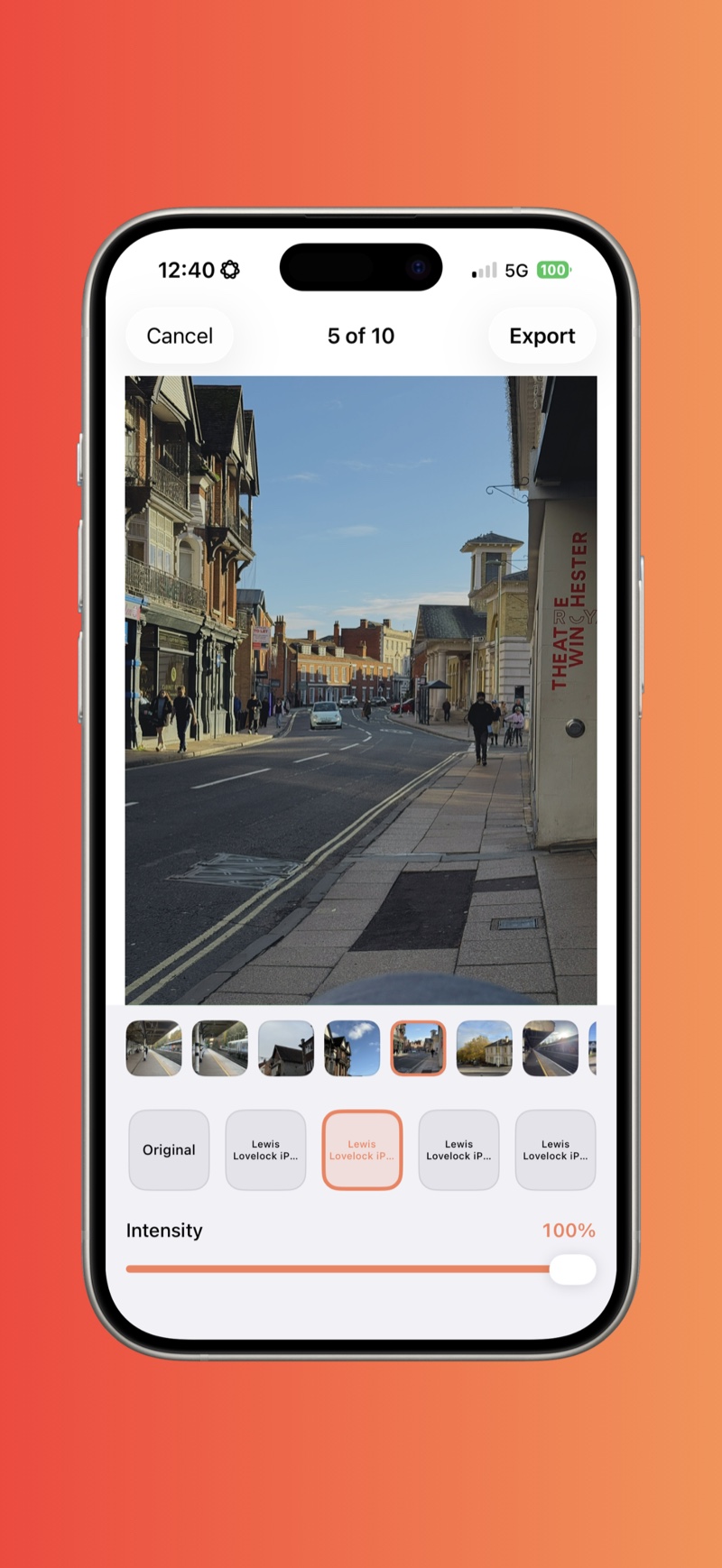
- Edit for it. Apply a film-style LUT or preset, add grain, and dial the strength to taste. This is where most of the look comes from.
Doing it on iPhone with RAWCraft
- Find a film-style
.cubeLUT or.xmppreset. Many film presets already include grain. - Import it into RAWCraft and open a photo, ideally ProRAW for the most latitude.
- Apply the look and slide the intensity down until it feels believable rather than heavy.
- Export at full quality.
Tips
- Restraint sells it. Real film is subtle. Backing the intensity off is usually what separates convincing from cartoonish.
- Grain matters. See adding film grain.
RAWCraft is a one-time $14.99 with a free export, so you can try a film look on your own shot first.