The best LUT app for iPhone depends on one question almost nobody asks first: photos or video? Most apps that show up under "LUT app for iPhone" are really video editors. Applying a .cube LUT to a still photo, especially an Apple ProRAW one, is a narrower job, and only a handful of apps do it well.
Here are the realistic options, what each is actually like to use, who each one suits, and what each one costs. RAWCraft is ours, so there is a section further down on where it is the wrong choice.
How this list was judged
Four questions, the same ones you should ask:
- Is it built for photos, or is photo support bolted onto a video tool?
- Does it apply your own files, both
.cubeLUTs and.xmppresets, or only its built-in filters? - Does it keep full quality, including on ProRAW?
- What does it cost to actually use, once you get past the download price?
Pricing on third-party apps changes often. Where a cost is fixed and checkable it is stated; where it is not, the note is a pointer to check the current App Store listing rather than a number.
The main options
VideoLUT
The biggest name in the category. Its App Store listing advertises a large built-in preset library, plus import for your own .cube and .3dl files, and deep color tools underneath. It is powerful, and that is also the catch: the interface is heavy, and the whole app leans toward video work. Free to download, with in-app purchases for the serious features, so check the listing for what is behind them.
Suits you if: you want a giant ready-made library and do not mind digging through a busy interface.
LUT Studio
Clean, fast, and pleasant to use, with film effects like halation and grain layered on top of LUT support. The catch is that it is aimed mostly at video, so the photo workflow is not the star of the show. Check the current App Store listing for how it charges, this category moves between subscriptions and unlocks regularly.
Suits you if: you grade video anyway and want one app to cover both.
PeekLut
A lighter, more focused take on the same idea. Import your own .cube files, apply them to a photo or a clip, save the result. Far less machinery than VideoLUT, which is the appeal if a giant library is not what you are after. Like most of this category it is free to download, and the App Store listing is where you find out what the paid extras cover, so read that before you assume anything about the cost.
Suits you if: you already have your own .cube files and want something simple to try them in.
Adobe Lightroom
Not really a LUT app, it is a full editor with a huge ecosystem around it. It is the natural home of .xmp presets, and its editing tools go far deeper than any app on this list: exposure, curves, masking, healing, crop. Lightroom Mobile is free to use with an Adobe account, and it imports photos, applies .xmp presets, works through a batch, and exports. If presets are the job, it does the job well.
The one thing it does not do on mobile is apply a .cube LUT. That is the honest distinction, not the price.
Suits you if: your looks are .xmp presets, or you want real editing tools rather than a look and a slider. Then stick with it.
RAWCraft
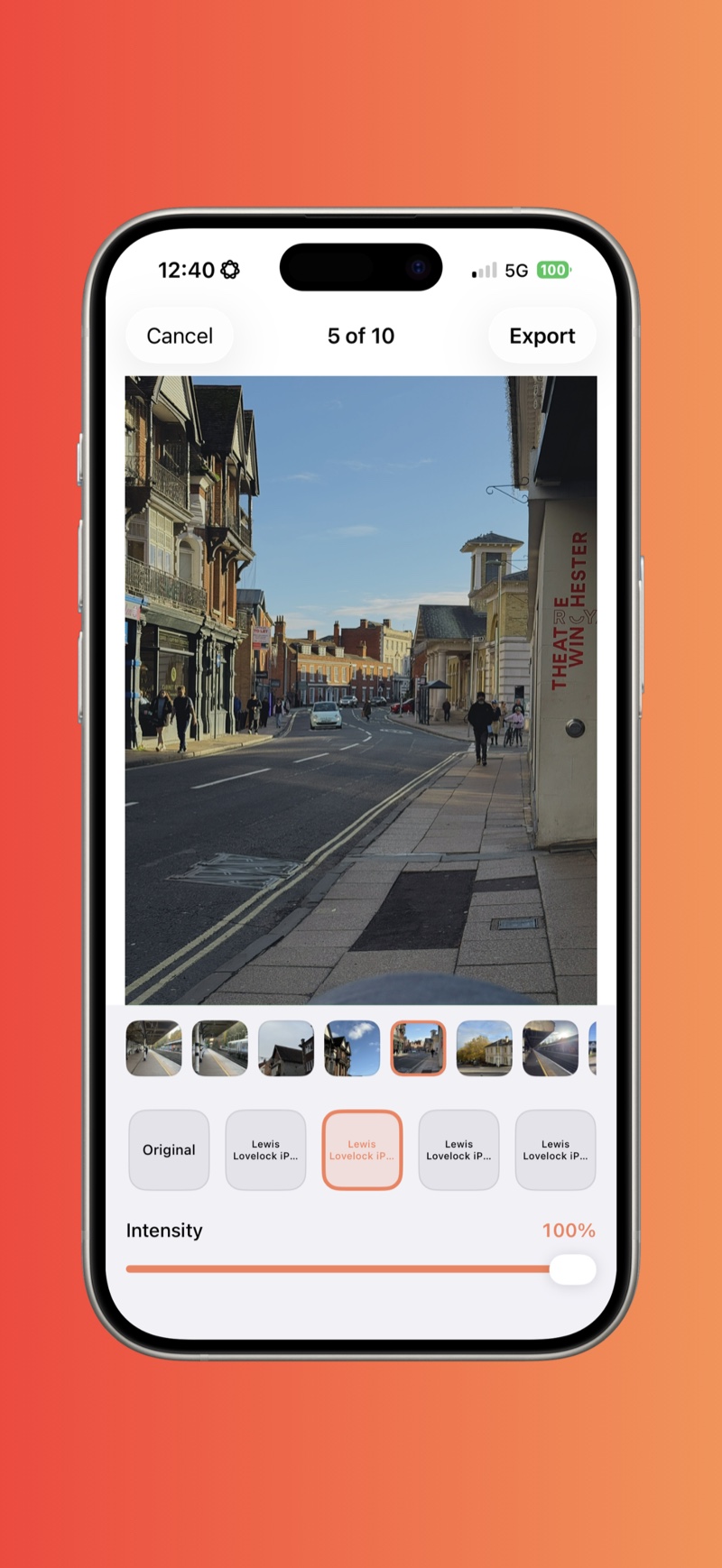
Built specifically for photos and ProRAW, and for people who bring their own looks. It applies both .cube LUTs and Lightroom .xmp presets from one library, keeps each photo's look and intensity separate, handles batches of up to 30 photos, and exports as JPEG, HEIC, TIFF, or AVIF in sRGB or Display P3. Everything runs on device, there is no account and nothing is uploaded, and it is a one-time $14.99 rather than a subscription. Your original ProRAW file is never modified.
Suits you if: you want the simplest photo-first, ProRAW-friendly option, you already own the looks you want to use, and you dislike subscriptions.
Worth a mention
(Not Boring) Camera supports custom LUTs at the shooting stage, so you capture with the look already applied. A different philosophy: it grades the photos you are about to take, not the ones you already have. And the big video editors, CapCut, VN, LumaFusion, can technically run a still photo through a LUT, but exporting a frame from a video timeline is the wrong tool for photography.
Side by side
| App | Photos first | Your own .cube | Your own .xmp | ProRAW | Batch | Pricing |
|---|---|---|---|---|---|---|
| VideoLUT | No, video leaning | Yes | No | Partial | Limited | Free to download, in-app purchases |
| LUT Studio | No, video leaning | Yes | No | Partial | Limited | Check current listing |
| PeekLut | Mixed, photo and video | Yes | No | Not the focus | Not the focus | Free to download, in-app purchases |
| Lightroom | Yes | No, not on mobile | Yes | Yes | Yes | Free to use with an Adobe account |
| RAWCraft | Yes, photos only | Yes | Yes | Yes | Yes, up to 30 | One-time $14.99 |
"Partial" and "not the focus" mean the app may open the file but is not built around RAW photo editing. Features on third-party apps move around as much as prices do, so treat the whole table as a starting point rather than a spec sheet.
Where RAWCraft is the wrong choice
Since we make it, here is the honest version, and it rules RAWCraft out for a lot of people who land on this page.
- It does not touch video. Photos only. Most LUT apps for iPhone are video-first, and if you came here to grade clips, every other app on this list is a better answer than ours.
- It is not a photo editor. There is no exposure, no curves, no crop, no masking, no healing. It applies a look and an intensity, and that is the entire feature set. If you want to fix a photo rather than grade it, use Lightroom, Darkroom, or the editor already in Apple Photos.
- The built-in library is small. RAWCraft ships with 10 looks and does not sell more. You bring the rest as your own
.cubeLUTs or.xmppresets, so if you want a large ready-made library to browse, VideoLUT's built-in collection is genuinely the more generous starting point. - There is no look carry-forward. Each photo keeps its own look, and an ungraded photo exports ungraded. Some people want the previous grade applied automatically to the next shot. That is not how this works.
The short version
If you need video, editing tools, or a large ready-made look library, RAWCraft is not for you. If you want a handful of looks to start with, or already own .cube or .xmp files to use on ProRAW photos, it is.
What "free" means in this category
Before the next question, one piece of vocabulary, because "free" means three different things on the App Store:
- Genuinely free. No cost, no watermark, no account. Rare, but it exists.
- One-time purchase. You pay once and own it, updates included. The honest middle ground.
- Free, with a catch. Free to download, then a subscription to unlock anything useful, or a watermark on your export until you pay. This is what most "free" LUT apps mean.
That is why the pricing column above is mostly a pointer to the App Store listing rather than a number.
If a LUT is not what you actually need
Everything above answers one narrow question: which app applies your own .cube LUTs and .xmp presets to photos. A lot of people arrive at that question when what they really want is a decent editor, or simply something free that does not nag them.
So here is the second question, kept deliberately separate: if you do not need to import a look file at all, where should you look instead?
Apple Photos is already on your phone, no subscription, no watermark, and its sliders handle ProRAW files fine. Snapseed is free from Google with no account, and gives you curves and selective edits. For pay-once editing, Darkroom and Afterlight have both offered a one-time unlock alongside their subscription, so check which one their listing currently sells. Either does far more general editing than RAWCraft does. And if the files you are editing are RAW, iPhone RAW photo editor compares the apps that develop a DNG properly.
None of those four imports a look file at all, which is why they are not in the comparison at the top: that table is about which app takes the .cube or .xmp you already own. The table below answers a different question, cost and editing. RAWCraft is in it only so you can see where it sits on price. If avoiding a monthly bill is your main concern, the fuller rundown is in iPhone photo editors with no subscription, and the wider map of editors sorted by job is in the best iPhone photo editing apps.
| App | Cost model | Subscription | Watermark | Best for |
|---|---|---|---|---|
| Apple Photos | Free | No | No | Quick built-in edits |
| Snapseed | Free | No | No | Full manual editing, free |
| RAWCraft | $14.99 one-time | No | No | Your own LUTs and presets on ProRAW |
| Darkroom / Afterlight | One-time unlock, check listing | Also offered | No | RAW editing and filters, pay once |
How to check what an app really costs
- Read the in-app purchases on the App Store listing. "Offers In-App Purchases" plus a list of monthly prices is the tell.
- Export a test shot. If a watermark appears, the app is watermark-gated whatever the store page says.
- Check for an account requirement. A login usually means your photos are tied to a cloud service. On-device apps skip that entirely.
So which is the best LUT app for iPhone?
- You want the simplest, photo-first, ProRAW-friendly option and already own your looks: RAWCraft.
- You want a giant ready-made preset library and do not mind a busy interface: VideoLUT.
- You grade video as well as stills: LUT Studio or VideoLUT, both of which are built around video first.
- You want something small to try your own
.cubefiles in: PeekLut. - You need real editing tools, not just a look: Lightroom, Darkroom, or Apple Photos.
- You want the look baked in at capture: (Not Boring) Camera.
Beyond the brand names, the questions are simple: does it apply your own LUTs and presets, does it hold full quality on ProRAW, can it do a batch, and what will it cost you to keep using? Answer those for your own workflow and the right pick is usually obvious. If you are still working out what you want the look to do, start with color grading on iPhone.
Quick answers
Can Lightroom Mobile apply .cube LUTs? Not directly. On desktop you can bake a LUT into a camera profile and sync it across, but there is no mobile import for a .cube file itself. If your looks live as .cube files, you want a dedicated app.
Which of these do video? Most of them. VideoLUT, LUT Studio, and PeekLut all handle clips. RAWCraft does not, at all.
Do I need a Pro iPhone for any of this? Only for capturing ProRAW, which needs a Pro model, iPhone 12 Pro or later. A newer non-Pro iPhone does not shoot ProRAW. Applying LUTs to photos you already have works on any modern iPhone.
Is a free app enough? For a first experiment, usually yes. The limits you hit later are ProRAW handling, batches, and preset support, which is where the paid tools earn their keep.
Why do most LUT apps push subscriptions? Because recurring revenue is good for the developer. Whether it is good for you depends on how often you edit. If you grade every week, fine. If you edit in bursts, a one-time purchase is usually the better deal.
How much does a LUT app for iPhone cost? Anywhere from nothing to a monthly subscription. The usual pattern in this category is free to download, then in-app purchases for the useful parts, and a few apps sell a one-time unlock instead. RAWCraft is a one-time $14.99 with 10 free exports. Read the In-App Purchases list on each App Store page before you assume anything.
Do LUT apps add a watermark? Some free ones do until you pay, which is the catch behind "free to download". RAWCraft does not watermark anything, including the 10 free exports, and neither do Apple Photos or Snapseed. For VideoLUT, LUT Studio, and PeekLut, export a test shot before you rely on one, since watermark rules move with every pricing change.
RAWCraft is a one-time $14.99 with 10 free exports so you can try it on your own photos first.